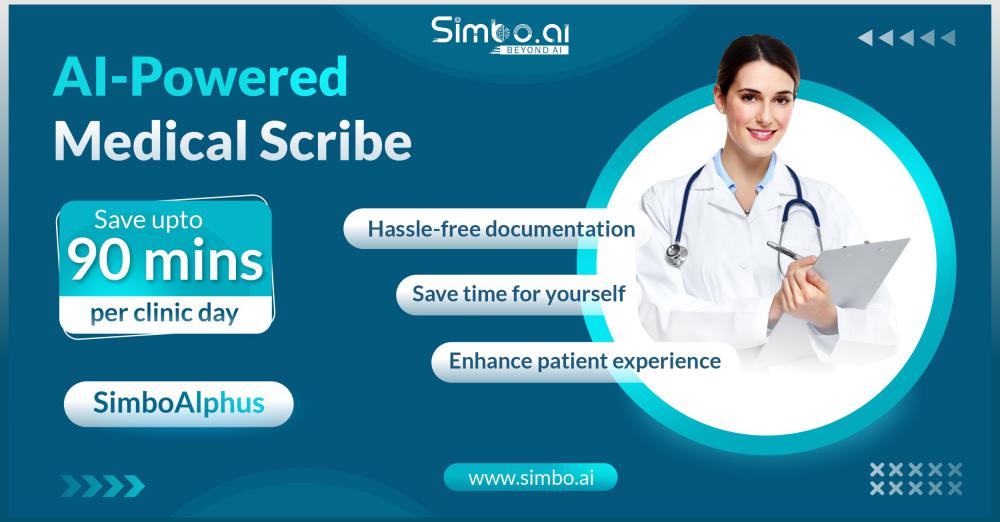
Custom healthcare AI agents are made to automate repeated tasks, help with patient interactions, and improve care delivery. Unlike general AI products, these AI agents match specific clinical workflows, follow rules like HIPAA, and work with standards such as HL7 and FHIR. Since these systems are built to fit certain healthcare groups, it is very important that staff know how to use them well.
In the United States, healthcare groups must follow strict rules and meet high patient care standards. If staff do not use AI tools well, it can cause wasted money, frustration, and poor results. So, good adoption strategies help get the most out of AI and make staff and patients happier.
Common Barriers to AI Adoption in Healthcare Settings
- Fear of job replacement: Staff may worry AI will take their jobs instead of helping them.
- Lack of familiarity: Workers might find AI tools hard or scary without proper guidance.
- Insufficient training: Bad or missing training can make staff less confident.
- Workflow disruption: Adding AI without matching current work can cause confusion or extra work.
- Data privacy concerns: Staff may worry if patient data is safe.
- Change fatigue: Busy medical settings make staff tired of new changes and less willing to try AI.
Knowing these barriers helps leaders plan ways to solve them early.
Effective Training: Building Confidence and Competence
Good training is very important to help healthcare staff use AI tools successfully. Training should cover how to use the AI, why it helps, and how it fits into daily work.
- Hands-On Experience: Giving staff real practice with AI is key. For example, a group of clinics used a voice AI tool that saved doctors over two hours a day by cutting down paperwork. Seeing immediate benefits helps staff keep using the tool.
- Role-Specific Training: Different jobs need different AI functions. Training should be made for front-desk staff, doctors, and medical coders. Coders focus on AI help with coding and claims, while front-office staff learn about appointment reminders and scheduling.
- Clear Communication of Benefits: Sharing examples of how AI cuts errors, speeds work, or helps patients can encourage staff. One leader said AI made routine tasks easier and reduced errors, helping staff feel less stressed.
- Addressing Concerns: Talking openly about worries like job loss or data safety during training helps build trust. It is important to say AI is there to help, not replace staff.
- Use of Simple Language: Training should use easy words and avoid tech jargon. This makes the tool less scary and helps more people join in.
Onboarding: Starting with Clear Guidance and Support
Onboarding starts the process of AI use right. New users need clear steps, not just to figure things out themselves.
- Step-by-Step Walkthroughs: First sessions should show how the AI works step by step—like answering calls, sorting symptoms with AI bots, or handling insurance questions automatically.
- Assigning AI Champions: Having certain staff well-trained to be experts helps others. These “AI champions” support their peers and improve morale, as seen in some health groups.
- Integration With Workflow: Onboarding should explain how AI fits into current work, making jobs easier not harder. For example, AI reminders cut missed appointments by 42%, saving the clinic a lot of money. When staff understand this, they support AI more.
- Pilot Programs: Starting with small test groups from various departments helps get feedback and improve the system before big rollout. Some projects took from one week to several months this way.
- Compliance and Security Training: Teaching staff about HIPAA rules and data security in AI systems eases worries. AI uses encryption, auditing, and secure access to protect patient info.
Ongoing Support: Maintaining Engagement and Usability
After AI is running, ongoing help keeps staff confident and involved.
- Help Desks and Troubleshooting: Staff should easily reach support to fix problems quickly. This stops frustration and tool abandonment.
- Refresher Courses: Periodic training helps staff remember skills and learn new updates. As healthcare work changes, AI and training must update too.
- Feedback Channels: Encouraging staff to suggest improvements helps keep AI useful. Feedback loops mean AI can improve without total redesign.
- Monitoring Usage Metrics: Tracking AI use shows how well adoption is going and where extra help might be needed.
- Recognition and Rewards: Praising staff who use AI well and improve work motivates others to try.
AI and Workflow Automation: Transforming Healthcare Operations
Custom healthcare AI does more than cut admin work. It changes how clinical and non-clinical jobs work every day. Knowing this helps explain why adoption strategies must be complete.
- Automating Repetitive Tasks: AI handles appointment scheduling, reminders, insurance checks, and common patient questions. This cuts down on phone calls and repetitive tasks. For example, Simbo AI automates front desk calls so staff can focus on other work.
- Supporting Clinical Documentation: AI helpers give real-time prompts, order advice, lab alerts, and handoff notes, making patient care safer and smoother. One primary care network cut doctor documentation time by over two hours daily using voice AI tools.
- Predictive Analytics: AI predicts patient risks and resource needs. This lets clinics plan ahead and reduce missed appointments by 42%, saving money.
- Improving Medical Coding and Billing: AI helps coders with real-time suggestions, denial predictions, and cleaning claims. A rural hospital reduced coding delays from over 10 days to less using AI.
- Enhancing Patient Engagement: AI bots in many languages help reach patients in diverse communities, increasing contact and care.
- Seamless Systems Integration: Custom AI connects well with electronic health records, billing, and communication systems to avoid entering data twice and cut delays. Integrations with ePrescribing and billing platforms move data smoothly across tools.
For staff, AI reduces workload and fits well into daily tasks. When users see AI as a helper that improves care, they are more open to use it.
Case Examples Illustrating Successful AI Adoption in U.S. Healthcare
- Cedarwood Health Network: Dr. Laura Bennett said AI helped reduce paperwork and follow-ups so doctors could focus more on patients. This helped lower staff burnout.
- Maple Grove Medical Group: Daniel Price shared that AI automation cut errors and improved routine work. Staff felt less stressed and more satisfied.
- Lakeside Medical Center: Anthony Hughes noted the AI could predict problems and suggest next steps, working like a 24/7 helper for the team.
- Bayview Health Partners: Dr. Monica Reynolds said AI handling routine follow-ups let doctors spend more time with patients, which helped staff mood and patient satisfaction.
- Multi-Specialty Clinic Network: This group with eight clinics lowered no-show rates by 42% in three months using AI scheduling, saving about $180,000 each month.
These examples show how good staff support and training bring out the full benefits of healthcare AI.
Recommendations for Medical Administrators and IT Managers in the United States
To help AI adoption go well in U.S. healthcare, administrators and IT managers should:
- Build training programs that fit different roles, use hands-on methods, and explain clear benefits.
- Plan onboarding with step-by-step instructions, pilot tests, and internal experts for support.
- Offer ongoing help with support desks, refresher trainings, and listening to staff feedback.
- Be open about job and data security concerns, making clear AI helps staff instead of replacing them.
- Match AI systems to existing clinical and admin work flows.
- Use data to watch adoption progress and give extra help when needed.
- Share real examples of success to encourage staff and show value.
Using these methods, healthcare providers can reduce staff worry, make AI easier to use, and improve patient care overall.
Healthcare in the United States is complex and follows many rules. Carefully introducing custom AI is needed. But with good training, onboarding, and support, medical groups can add AI tools that help providers and staff—and improve care for patients and teams.
Frequently Asked Questions
Why build a custom healthcare AI agent instead of using an off-the-shelf tool?
Custom AI agents are tailored to specific healthcare workflows, compliance needs, and system integrations. Unlike off-the-shelf tools, they fit your practice perfectly, minimizing workarounds, improving efficiency, and enhancing clinical accuracy to align with unique care models.
How do you ensure HIPAA and data security with custom AI agents?
Security is integrated from the start using HIPAA safeguards such as encryption, secure access controls, and audit trails. This protects patient data, reduces compliance risk, and ensures the AI system securely handles sensitive health information throughout its lifecycle.
Will a custom AI agent integrate with my EHR and billing systems?
Yes, custom AI agents use standards like HL7 and FHIR to seamlessly integrate with EHRs, billing platforms, and other healthcare systems. This ensures smooth data flow, eliminates double entry, and reduces operational bottlenecks, streamlining workflows effectively.
How long does it take to develop a custom AI agent?
Development timelines vary with complexity but typically take weeks to a few months. An iterative approach delivers early value while the AI evolves to meet the practice’s unique requirements and adapts over time.
What if my workflows change later—will the AI still work?
Custom AI agents are designed for flexibility to accommodate evolving healthcare workflows and compliance requirements. Updates and refinements can be made quickly without requiring a complete rebuild, ensuring ongoing relevance and usability.
How much does it cost to build a custom AI agent?
Costs depend on project complexity but focus on delivering ROI through automation and operational efficiencies. By reducing repetitive tasks and errors, AI agents drive long-term cost savings and improve productivity.
Will AI agents replace my staff?
No, AI agents are designed to support staff by automating repetitive, time-consuming tasks. This enables healthcare workers to focus on higher-value care, improving morale, reducing burnout, and enhancing both patient and provider outcomes.
What kinds of healthcare tasks can AI agents handle?
AI agents manage diverse tasks such as medical coding, billing, documentation, scheduling, patient engagement, and compliance tracking, automating routine work while maintaining clinical accuracy to free staff for patient-centered activities.
What if my staff struggles to adopt new AI tools?
The implementation includes onboarding, hands-on training, and ongoing support to ensure smooth adoption. The goal is to make AI easy to use, building staff confidence and minimizing change-related stress.
Do we retain ownership of the data and the AI agent?
Yes, clients retain full control over their patient data and the custom AI solution to ensure compliance, transparency, and independence. The system is designed so no data or AI ownership is locked by the vendor, supporting long-term flexibility.